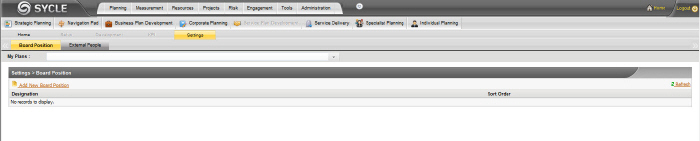
This is the main section where user security roles referred to as "Board Positions" are implemented. You can access this section only if you are an authorised user.

 |
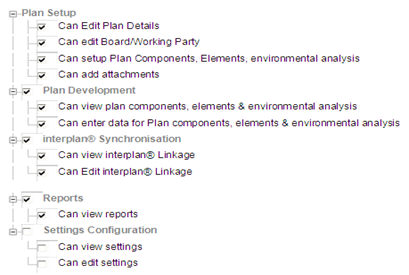
The Plan Owner is a compulsory position which is set up when entering a new Plan. This position cannot be edited or deleted. It has the following attributes.
 |
STEP 1: Click the "Add New Board Position" link to create a new board position.
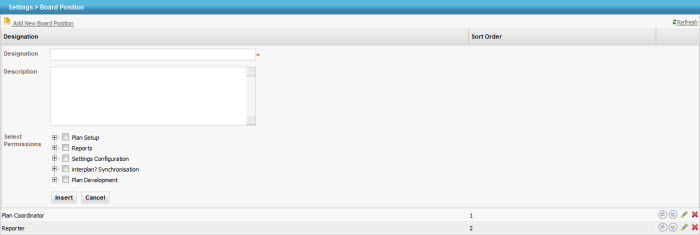
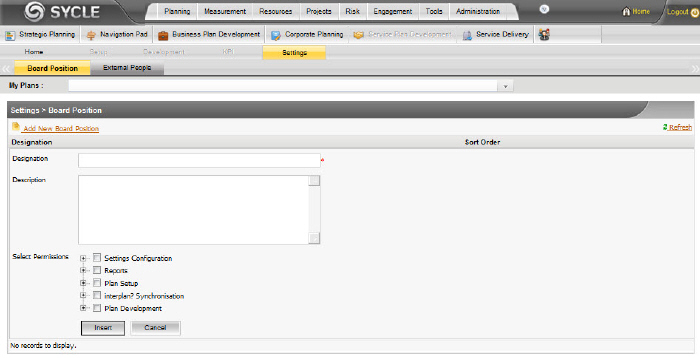
STEP 2: Specify the following details:
|
Field |
Description / Instructions |
Mandatory / Optional |
|
Designation |
Allows you to specify a designation |
Mandatory |
|
Description |
A short description to explain the purpose of this position |
Optional |
|
Select Permissions |
Link these permissions by ticking the relevant check boxes |
Optional |
The Shuttle Plans Administrator can adjust the permission settings for the pre-defined Board Positions by clicking on the  icon. To delete a position, click on the
  icon.
icon.
Copyright © 2014-2015 CAMMS Online Help. All rights reserved.
Last revised: September 23, 2018