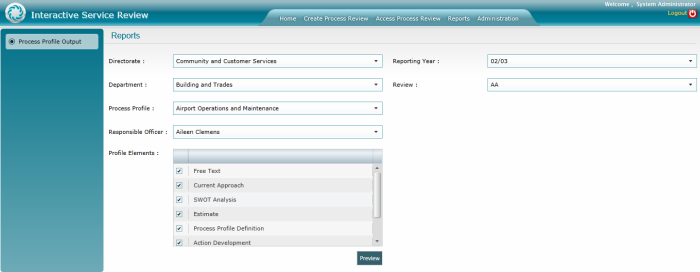
To generate a report select the necessary sections of the report and click preview to open a final report of the service review. Make sure to select Process Profile Output button to the left.
STEP 1: Go to Reports page.
STEP 2: Select the following from the dropdown menus and tick boxes.
|
Field |
Description |
Mandatory/Optional |
|
Directorate |
Select the Directorate concerned from the drop down menu. |
Optional |
|
Business Units |
Select the Business Unit concerned from the drop down menu. |
Optional |
|
Service Profile |
Select the relevant service profile from the drop down menu. |
Optional |
|
Responsible Officer |
Select the responsible officer from the set of officers available. |
Optional |
|
Profile Elements |
Tick the profile elements that needs to be displayed |
Optional |
|
Reporting Year |
Select the reporting year from the drop down. |
Optional |
|
Review |
Select the service review from the drop down. |
Optional |
STEP 3: Click on Preview.
Copyright © 2014-2015 CAMMS Online Help. All rights reserved.
Last revised: September 23, 2018